
Traditional Furniture Photoshoot vs AI Product Visual Workflow
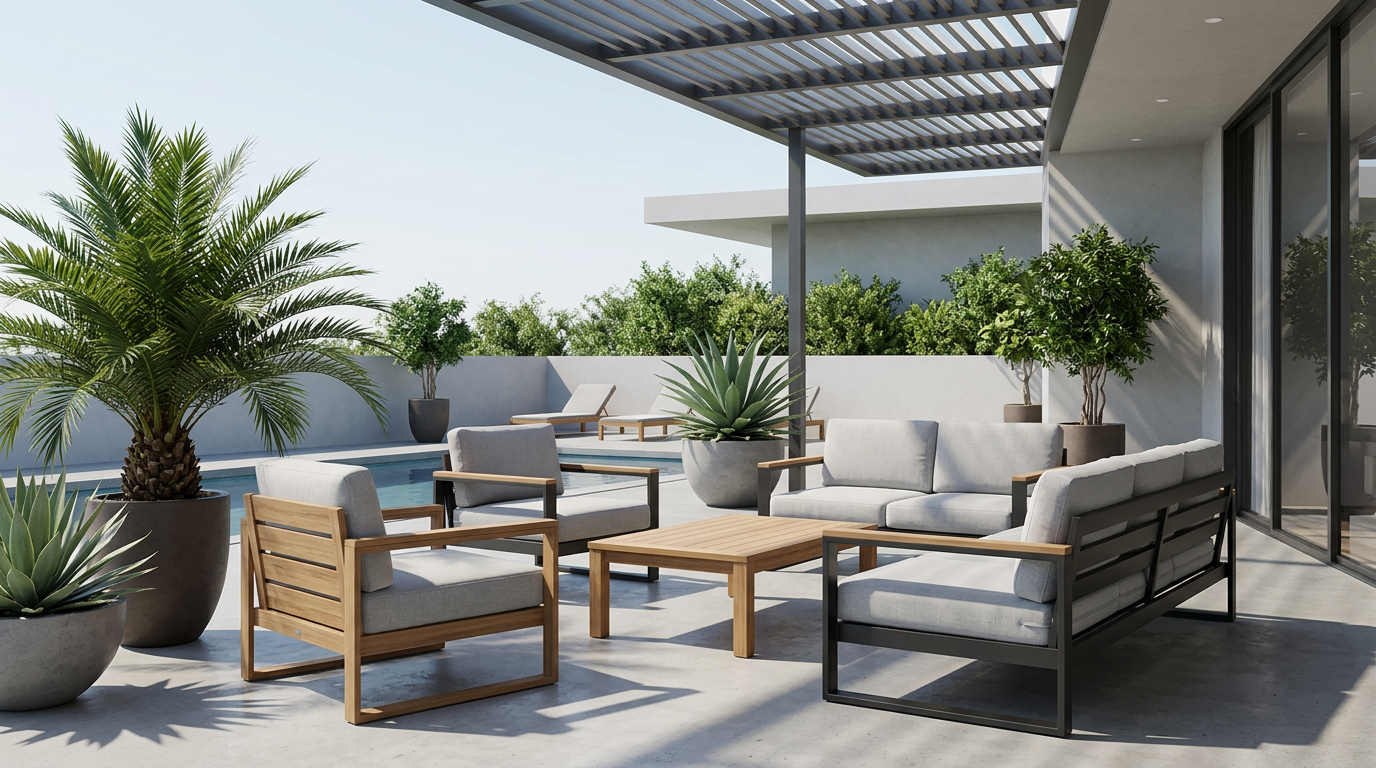
Caption: The right workflow depends on whether the team needs new product proof or more useful assets from product imagery it already trusts.
Traditional Furniture Photoshoot vs AI Product Visual Workflow
Furniture teams do not need a simple winner between photoshoots and AI. They need a decision system.
A traditional photoshoot is strongest when the business needs to capture new product truth: material, scale, construction, a real set, or a final record that must be documented physically.
An AI product visual workflow is strongest after the product truth already exists. It helps teams turn one usable product photo into room scenes, product-page support images, campaign directions, and review-ready visual assets without restarting the whole production process for every visual need.
Use this page to decide which workflow fits the job in front of you.
Decision matrix
| Decision question | Choose a photoshoot when | Choose an AI workflow when |
|---|---|---|
| Product truth | The product still needs to be documented from scratch. | The team already trusts the product photo or cutout. |
| Product detail | Materials, construction, dimensions, or finish must be newly captured. | Important product details are visible enough to preserve and review. |
| Creative goal | The campaign depends on a specific real set, model, prop, or physical environment. | The goal is to explore scenes, crops, layouts, and supporting assets around an approved product. |
| Review burden | The image must serve as exact proof of the product. | The image will be reviewed as a commercial visual direction before use. |
| Output need | The team needs a primary source of truth. | The team needs more visual range from existing product truth. |
The practical rule is simple: shoot for proof, then extend for speed and range.
When a furniture photoshoot is the better choice
Use a traditional photoshoot when the source image does not yet answer the core product questions.
That usually means:
- the product is new and has no trustworthy image yet
- the finish, color, material, construction, or scale must be captured precisely
- the brief requires a specific physical room, model, lighting setup, prop, or location
- the output needs to document a real product state, not only present a selling scene
- legal, compliance, wholesale, or internal review requires exact physical proof
- video and still photography need to come from one controlled production setup
In these cases, a photoshoot is not waste. It creates the evidence that later visual work depends on.
When an AI product visual workflow is the better choice
Use an AI workflow when the product image is already usable and the team needs more commercial expression around it.
That usually means:
- the team has one approved product photo or cutout
- the next task is a room scene, hero image, PDP support shot, or campaign concept
- the product identity is visible enough to preserve
- the team wants to compare directions before committing to larger production
- the source image is useful but the background or presentation is not strong enough
- the team needs variants for different placements after one direction is approved
This is where TouchHue fits best. The workflow starts from product truth and helps the team build useful visual directions around it.
Caption: A clean product subject gives the AI workflow enough product information to preserve identity while changing the surrounding visual context.
Input checklist before using AI
Before choosing an AI workflow, check whether the product photo can carry the job.
- Can the product outline be read clearly?
- Are material, texture, color, and construction cues visible?
- Does the main angle match the kind of output you want?
- Are key edges, legs, handles, backs, or corners visible enough to review?
- Is the product separated enough from the original background?
- Would a reviewer be able to spot product drift in the result?
If the answer is mostly yes, the image is usually worth testing in an AI workflow. If the answer is mostly no, a better source photo or a traditional shoot may be the cleaner path.
Where TouchHue fits
TouchHue belongs after the product has enough truth to protect.
The workflow can help a furniture team:
- Upload a usable product photo.
- Prepare or recover the product subject if the background is distracting.
- Generate a first room-scene direction.
- Review whether the product still feels accurate.
- Refine weak areas before extending the result.
- Create supporting product-page, campaign, and presentation assets from the approved direction.
TouchHue should not invent product facts that are missing from the input. Product facts, exact proof, and missing details should come from the team, not from generated imagery.
How this differs from the blog article
The photoshoot vs AI workflow blog article explains the reasoning behind the decision.
This page is the decision page. Use it when you need to choose the next production path, brief a team, or decide whether a product image is ready for TouchHue.
Recommended next steps
If you are choosing the workflow now:
- Start with how TouchHue works to understand the product-to-scene process.
- Use the AI product photo generator for furniture when you have a usable furniture product image.
- Use product background replacement for ecommerce when the product is clear but the source background is distracting.
- Use reshoot vs background replacement for ecommerce product images when the decision is specifically about rescuing a current ecommerce source image versus capturing a cleaner one.
- Review furniture campaign visuals and PDP assets when the goal is a broader asset set.
- Check pricing when the team needs to plan workflow usage.
FAQ
Can AI replace every furniture photoshoot?
No. AI should not replace a photoshoot when the team still needs exact product proof, new material documentation, physical set evidence, or a controlled production record.
When should I choose a photoshoot first?
Choose a photoshoot first when the product image is not trustworthy enough to preserve, when key product facts are missing, or when the final image must prove a real physical detail.
When should I choose TouchHue first?
Choose TouchHue when you already have a usable product photo and need to turn it into room scenes, PDP support images, campaign directions, or review-ready visual assets.
Can I use both workflows together?
Yes. A practical model is to shoot once for product truth, then use an AI workflow to extend the approved product image into more commercial visual directions.
What should the team review before publishing?
Review product accuracy, material impression, scale, edges, brand fit, and channel requirements. TouchHue helps create visual directions, but the team remains responsible for final review.